自身の勉強のため、データをまとめている最中の書きかけのページです。以下のBlock API リファレンスなどを参考にしています。
また、以下の日本語の解説も参考にしています。
ブロックの基本のメタデータ
block.json のプロパティを通して、ブロックの一意な識別方法や検索方法、ブロックエディターに表示されるブロックの情報を定義できます。
| プロパティ | 必須 | 設定値 | 機能説明 | 例 |
|---|---|---|---|---|
| $schema | ✓ | https://schemas.wp.org/trunk/block.json | スキーマ定義ファイル | “$schema”: “https://schemas.wp.org/trunk/block.json” |
| apiVersion | ✓ | 3 | ブロックが使用する API のバージョン namespace/block-name | “apiVersion”: 3 |
| name | ✓ | my-plugin/notice | 名前空間を含むブロックの一意な識別子 | “name”: “core/heading” |
| title | ✓ | ブロック名 | ブロックの表示タイトル | “title”: “Heading” |
| category | ✓ | text media design widgets theme embed | インサーターパネルでのブロックのカテゴリー | “category”: “text” |
| parent | [ “my-block/product” ] | parent を設定すると、ブロックは、指定したブロック内にネストされた場合のみ利用可能になります。たとえば、「カートに追加」ブロックを、「商品」ブロック内でのみ利用可能にすることができます。要するに、小ブロックに設定する。 | “parent”: [ “my-block/product” ] | |
| ancestor | [ “my-block/product” ] | ancestor プロパティは、指定されたブロックタイプの中で、祖先ブロックサブツリーの任意の位置において、ブロックを利用可能にします。例えば、Column ブロックが Comment Template ブロック内のどこかにいる限り、Comment Content ブロックを Column ブロックの中に配置できます。parent プロパティと比較すると、 ancestor を指定したブロックはサブツリーのどこにでも配置できますが、 parent を指定したブロックは直接の子である必要があります。要するに、親戚同士でブロックを固める際に利用。 | “ancestor”: [ “my-block/product” ] | |
| allowedBlocks | [ “my-block/product” ] | 小ブロックとして使用できるブロックを指定。 | “allowedBlocks”: [ “my-block/product” ] | |
| icon | text,links など(詳しくはリンクより。SVGで指定も可能) | Dashiconスラッグまたはカスタム SVG アイコン https://developer.wordpress.org/resource/dashicons/#align-wide | “icon”: “smile” | |
| description | ブロックの簡易解説 | ブロックインスペクタに表示される短い説明 | “description”: “Introduce new sections and organize content to help visitors” } | |
| keywords | [ “alert”, “message” ] など | ブロックをインサータで検索する際に使用 | “keywords”: [ “keyword1”, “keyword2” ] | |
| textdomain | 作者のユニークな文字列を入れる? | プラグインのテキストドメイン (翻訳などで重要) | “textdomain”: “my-plugin” | |
| version | 1.0.3 など | プラグインの開発バージョン | “version”: “1.0.3” |
supports によるブロックの UI 設定パネルの有効化
コアブロックを含む多くのブロックは、同種のカスタマイズオプションを提供します。例えば、背景色の変更、テキスト色の変更、パディングのカスタマイズオプションの追加など。
block.json の supports プロパティは、ブロックの特定機能のサポートを宣言します。ユーザーは設定サイドバーから特定の設定 (色やマージンなど) をカスタマイズできます。
利用可能なブロック supports を使用することで、ブロックの動作をコアブロックに合わせられ、同じ機能を自分で繰り返さずにすみます。
supports: {
    anchor: true,
    align: true
}| プロパティ | 設定値 | 初期値 | 画像 | 機能説明 | 例 |
|---|---|---|---|---|---|
| anchor | true false | false | 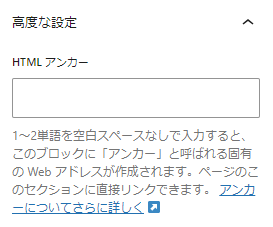 | “anchor”: true | |
| align | true false [ “left”, “center”, “right”, “wide”, “full” ] | false | 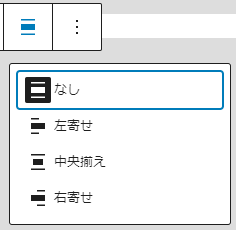 | “align”: true “align”: [ “left”, “right”, “full” ] | |
| alignWide | true false | true | 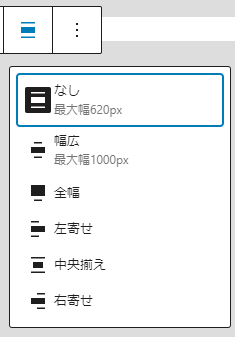 | “alignWide”: false | |
| ariaLabel | true false | false | “ariaLabel”: true | ||
| className | true false | true | “className”: false | ||
| customClassName | true false | true | 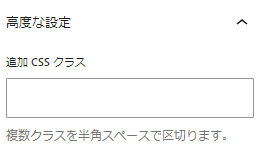 | “customClassName”: false | |
| html | true false | true | 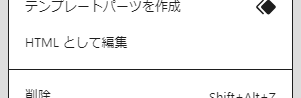 | “html”: false | |
| inserter | true false | true | “inserter”: false | ||
| lock | true false | true | “lock”: false | ||
| multiple | true false | true | “multiple”: false | ||
| renaming | true false | true | 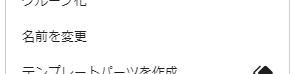 | “renaming”: false | |
| reusable | true false | true | 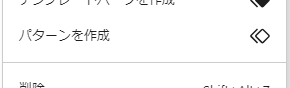 | “reusable”: false | |
| shadow | true false | false |  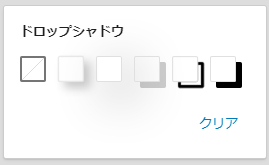 | “shadow”: true | |
| background | null | ||||
| background.backgroundImage | true false | false | 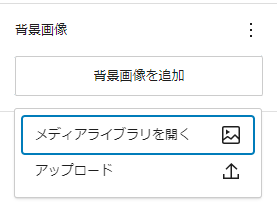 | “background”: { “backgroundImage”: true } | |
| background.backgroundSize | true false | false | 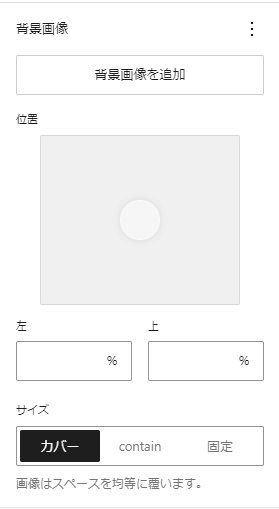 | “background”: { “backgroundSize”: true } | |
| color | true false | null | |||
| color.background | true false | true | |||
| color.button | true false | false | |||
| color.enableContrastChecker | true false | true | |||
| color.gradients | true false | false | |||
| color.heading | true false | false | |||
| color.link | true false | false | |||
| color.text | true false | true | |||
| dimensions | null | ||||
| dimensions.aspectRatio | true false | false | 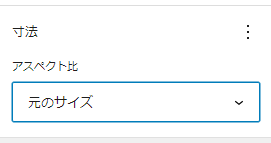 | ||
| dimensions.minHeight | true false | false | 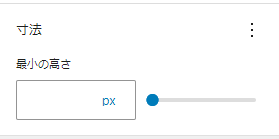 | ||
| filter | |||||
| filter.duotone | true false | false | 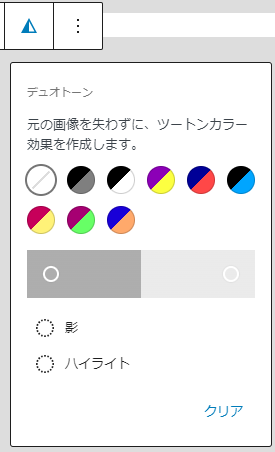 | “filter”: { “duotone”: true } | |
| interactivity | |||||
| interactivity.clientNavigation | true false | false | |||
| interactivity.interactive | true false | false | |||
| layout | |||||
| layout.allowEditing | true false | true | 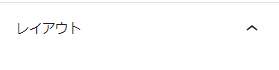 | ||
| layout.allowSwitching | true false | false | 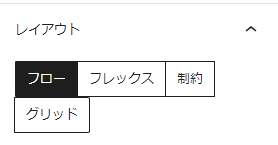 | ||
| layout.allowInheriting | true false | true | 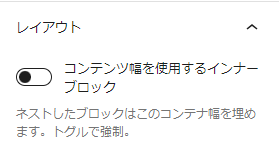 | ||
| layout.allowSizingOnChildren | true false | false | |||
| layout.allowVerticalAlignment | true false | true | |||
| layout.allowJustification | true false | true | |||
| layout.allowOrientation | true false | true | |||
| layout.allowCustomContentAndWideSize | true false | true | |||
| layout.default | null | ||||
| position | null | ||||
| position.sticky | true false | false | 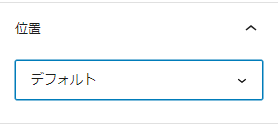 | ||
| spacing | null | ||||
| spacing.margin | true false [ “top”, “right”, “bottom”, “left” ] | false | 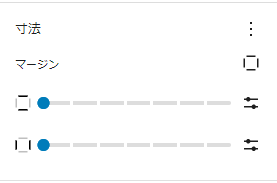 | “spacing”: {“margin”: true} “spacing”: {“margin”:[ “left”, “right” ]} | |
| spacing.padding | true false [ “top”, “right”, “bottom”, “left” ] | false | 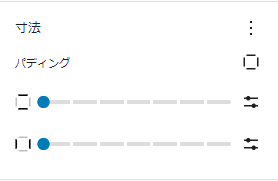 | “spacing”: {“padding”: true} “spacing”: {“padding”:[ “left”, “right” ]} | |
| spacing.blockGap | true false [ “horizontal”, “vertical” ] | false | 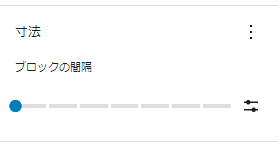 | ||
| typography | null | ||||
| typography.fontSize | true false | false | 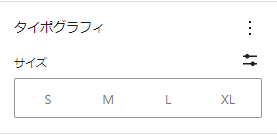 | “typography”: { “fontSize”: true } | |
| typography.lineHeight | true false | false | 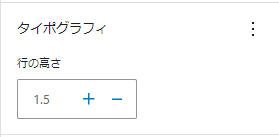 | “typography”: { “lineHeight”: true } | |
| typography.textAlign | true false [ ‘left’, ‘center’, ‘right’ ] | false | 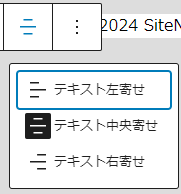 | “typography”: { “textAlign”: true } | |
| style | null | ||||
コメントを残す